Understanding the Trade-Offs Before You Buy
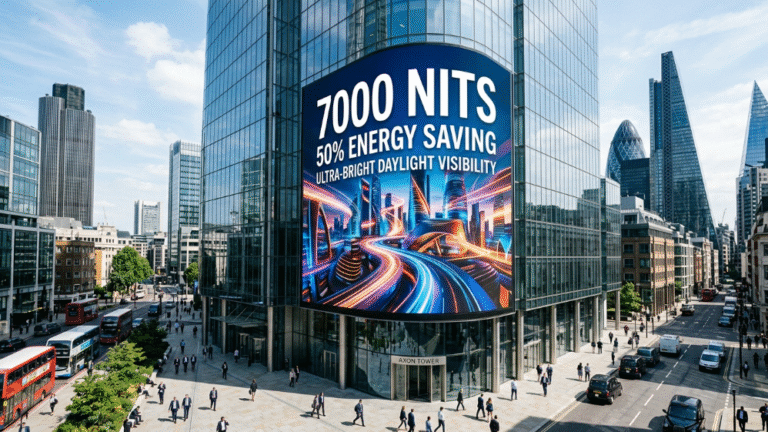
LED screens are the dominant display technology for outdoor advertising, large-format venues, virtual production, and events — and for good reason. But no technology is without trade-offs, and understanding LED’s specific limitations prevents costly specification mistakes.
Having reviewed LED installations across retail, broadcast, and outdoor environments, the consistent pattern is this: buyers who encounter problems almost always selected the wrong specification for their viewing distance, environment, or use case — not a defective product. The disadvantages below are real, but most are manageable with correct selection and setup.
High Upfront Cost
LED screens carry a meaningfully higher purchase price than comparable LCD displays. The advanced manufacturing precision required for fine-pitch panels, the cost of LED driver ICs, and the structural enclosures for outdoor-rated units all contribute to a price premium that can be significant for budget-constrained buyers.
Typical price impact:
- Fine-pitch indoor panels (P1.5–P2.5) run $1,500–$3,000/m² in 2026
- Equivalent large-format LCD video walls can be sourced for $500–$1,200/m²
- Outdoor LED with IP65 rating adds a further 20–40% over indoor equivalents
How to manage it: The cost argument shifts substantially over a 10-year horizon. LED panels have a rated lifespan of 50,000–100,000 hours, require fewer replacements than LCD backlights, and carry lower energy costs per lumen of output. For permanent installations running 12+ hours per day, LED total cost of ownership frequently beats LCD within 4–6 years.
When LCD is the smarter choice: Small-format close-viewing displays (conference rooms, single-viewer workstations, retail POS screens) where fine-pitch LED adds cost without meaningful performance benefit.
Dead Pixels and Lamp Bead Failure
LED screens last a long time, but they are not “set it and forget it” technology. Over time, dead pixels, color drift, and power supply failures can occur. These problems are more likely in large facilities that run continuously, like transportation hubs or mission-critical control centers.
Dead pixels — the result of individual LED lamp beads losing electrical connection — appear as persistent black or off-color dots on the display surface. Causes include:
- Solder joint failure during PCB manufacturing
- Mechanical shock during transport or installation
- Thermal stress from extended high-brightness operation
- Driver IC failure in the control circuit
How to manage it: Front-serviceable panel designs are especially valuable in tight spaces because they allow technicians to replace components without dismounting the entire wall. Specifying front-access maintenance from the outset, keeping spare modules on-site, and establishing a service-level agreement (SLA) with your supplier reduces the impact of individual module failures on live operations.
Industry benchmark: A dead pixel rate below 0.01% is considered acceptable for professional-grade panels at delivery. Anything above 0.03% on a new installation warrants a warranty replacement claim.
Close-Range Viewing Quality Limitations
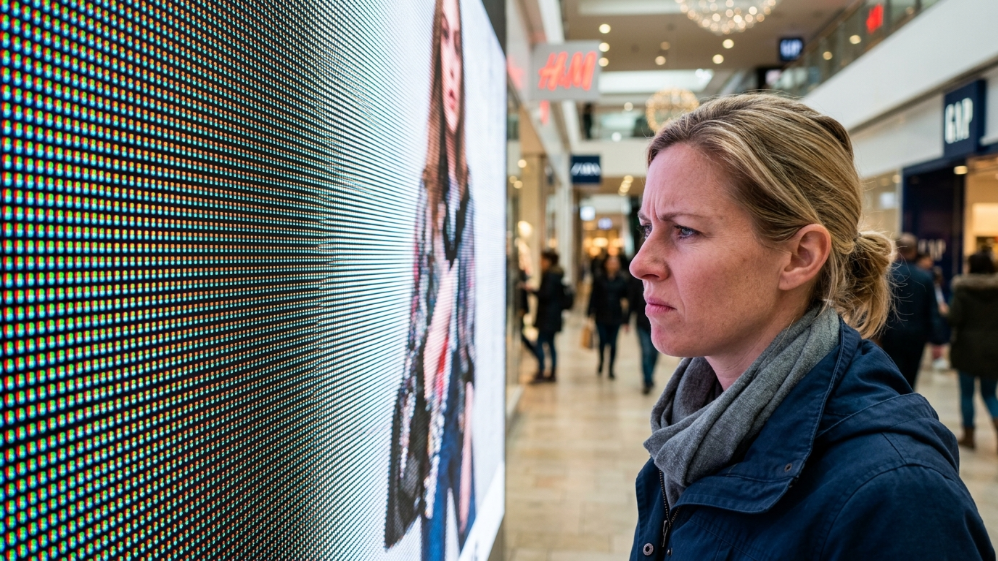
Pixel pitch — the distance in millimeters between LED clusters — directly determines the minimum comfortable viewing distance. This is LED’s most misunderstood specification.
If the pitch is larger, there are fewer pixels per square meter. This can look acceptable from a distance, but can appear very blocky up close. To find the minimum comfortable viewing distance in meters, multiply the pixel pitch in millimeters by two.
Pixel Pitch to Viewing Distance Reference
| Pixel Pitch | Minimum Viewing Distance | Typical Application |
|---|---|---|
| P1.2–P1.5 | 2.4–3.0 m (8–10 ft) | Broadcast studios, control rooms |
| P2.5 | 5.0 m (16 ft) | Conference halls, indoor events |
| P4 | 8.0 m (26 ft) | Indoor arenas, retail |
| P6 | 12.0 m (39 ft) | Semi-outdoor, mid-distance signage |
| P10+ | 20.0 m (65 ft) | Outdoor billboards, stadiums |
The real-world implication: A P6 panel installed in a retail environment where customers stand 3 meters away will look noticeably pixelated. Correcting this after installation means replacing the entire panel set — an expensive lesson that proper specification prevents entirely.
How to manage it: Define your minimum viewing distance before selecting pixel pitch. Do not allow suppliers to recommend pixel pitch without first asking for this measurement.
Contrast and Black Level Weaknesses
LEDs cannot turn off pixels totally like OLEDs can. Instead, they always emit a small amount of light, even when displaying black, which limits their contrast ratio. This problem is especially visible in high-end retail displays, television studios, and movie theaters where color depth and shadow detail are most important.
The practical effect: dark scenes in video content can appear “milky” or gray rather than deep black, particularly in bright ambient environments where the display cannot compensate with high peak brightness.
How to manage it:
- Specify panels with black LED coating technology (also called black-face or black-mask LED), which significantly improves native contrast by reducing inter-pixel light scatter
- Use content management to avoid pure-black backgrounds in ambient-light environments
- For applications where deep black reproduction is critical (cinema, high-end retail, broadcast), evaluate OLED or Mini-LED LCD alternatives before committing to standard LED
Context for 2026: COB (Chip-on-Board) LED technology, now more widely available at mid-market price points, delivers meaningfully improved contrast performance compared to SMD LED panels of equivalent pitch, narrowing the gap with OLED in many indoor applications.
Significant Heat Generation
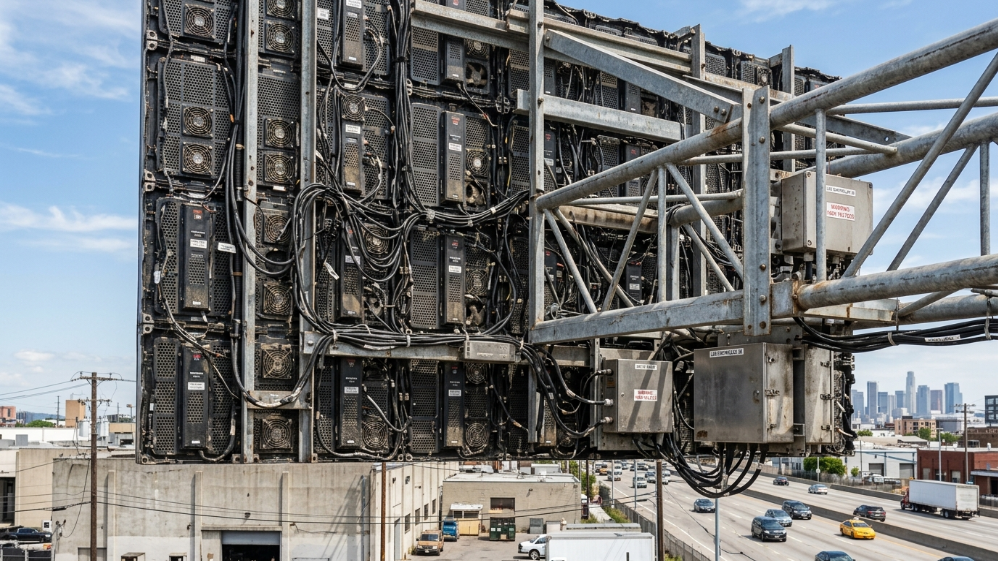
Although LED displays are energy-efficient, they still generate heat during prolonged operation. In hot outdoor areas, internal and external temperatures of the video wall can reach 65°C. Poor heat dissipation can affect both safety and lifespan.
The thermal load scales directly with screen area and operating brightness. A large outdoor LED billboard running at full brightness in a summer climate is a substantial heat source — one that must be factored into facility planning from the design stage.
Real-world cost implications:
- Large LED walls (100 m²+) may consume 100–500 kilowatts during operation
- Dedicated HVAC for an enclosed LED studio installation adds $15,000–$40,000 to build costs
- Inadequate cooling accelerates LED degradation and reduces effective lifespan
How to manage it: Use aluminum modules and cabinets with good heat dissipation properties, energy-efficient system design, and high-temperature resistant cabling. Automated brightness management software that reduces output during low-ambient-light periods also meaningfully reduces thermal load.
Light Pollution and Brightness Glare
Because LED displays are known for their brightness, excessive illumination can contribute to light pollution, particularly in densely populated areas. Overly bright or poorly configured screens may affect nearby residents, wildlife, or night visibility. Some cities have introduced regulations limiting luminance levels and display operating hours for outdoor digital signage.
This is not a theoretical concern — in multiple UK and European markets, outdoor LED billboard operators have faced enforcement action or planning refusals specifically related to luminance levels and operating hours. In 2026, compliance with local authority lighting guidelines is a practical procurement consideration, not just an ethical one.
Recommended brightness levels by environment:
| Environment | Recommended Brightness |
|---|---|
| Indoor office / retail | 300–800 nit |
| Indoor arena / venue | 1,000–2,500 nit |
| Outdoor (nighttime) | 1,500–3,000 nit |
| Outdoor (daylight) | 5,000–8,000 nit |
How to manage it: Specify panels with automatic photosensor-controlled brightness adjustment. This reduces output during low-ambient-light periods, addresses light pollution concerns, extends panel lifespan, and reduces energy costs simultaneously.
Blue Light Emission and Eye Strain
LED displays emit a higher proportion of blue-spectrum light than equivalent LCD displays. For applications involving prolonged close-range viewing — control rooms, broadcast desks, operator workstations — this is a relevant occupational health consideration.
Symptoms associated with extended LED screen exposure:
- Digital eye strain (tired, dry, or irritated eyes)
- Headaches after extended viewing sessions
- Disruption to circadian rhythm with evening exposure
How to manage it:
- Specify panels with low-blue-light mode or hardware-level blue light filtering for workstation applications
- Maintain minimum viewing distance of 3× the screen diagonal for fixed-position operators
- Apply warm color temperature profiles (below 6,500K) during extended use
- For control rooms and monitoring centers, consider LCD splicing walls as an alternative — they emit less blue light than comparable LED panels
Complex Installation and Maintenance Requirements
Although the modular design facilitates local module replacement, it requires professional personnel, and repairs may affect visual consistency across the panel surface.
Unlike a plug-in consumer display, professional LED screen installations involve structural engineering, electrical infrastructure planning, signal processing hardware, and calibration procedures that require specialist expertise. First-time buyers consistently underestimate this complexity.
Installation cost reality (2026):
- Basic wall-mount indoor installation: $2,000–$5,000
- Outdoor installation with structural rigging: $5,000–$20,000+
- Complex curved, ceiling-integrated, or floor-interactive builds: $20,000–$100,000+
Ongoing maintenance requirements:
- Periodic calibration: Individual LEDs age at slightly different rates, causing gradual brightness and color variation across the panel. Professional recalibration every 12–24 months maintains visual uniformity for critical applications
- Module inventory: Keeping spare panels and power supplies on-site eliminates extended downtime from individual component failure
- Annual maintenance contract cost: Typically 8–15% of hardware value per year for full-service coverage
Color Uniformity Degradation Over Time
All LED displays experience gradual brightness and color shift as the diodes age. Red, green, and blue LEDs degrade at different rates — and individual modules within a large panel wall age differently depending on their position, operating hours, and thermal history.
The visible result: After 3–5 years of continuous operation without recalibration, large LED walls can develop noticeable color banding or brightness hotspots — patches where some panels appear cooler or dimmer than adjacent ones.
How to manage it:
- Purchase panels from suppliers who provide professional calibration hardware (Brompton Tessera, Novastar, or equivalent)
- Schedule annual calibration sessions as a fixed maintenance budget line
- For broadcast and virtual production environments, real-time colorimetry monitoring is now available as an integrated feature on premium processor platforms
- COB LED technology demonstrates better aging uniformity than SMD in multi-year tests — a consideration for installations where consistent color is critical over a long service life
Viewing Angle Limitations on Lower-End Panels
Although many modern LED screens have improved in this aspect, in some lower-end models, image quality may deteriorate when viewed from extreme side angles.
Premium LED panels achieve viewing angles of 160°–180° with minimal brightness or color shift. Budget and mid-range panels can drop noticeably in quality beyond 120°–140° off-axis — relevant for venues with wide seating spreads or corner-mounted installations where spectators view the screen at steep angles.
Specification check: Always request the viewing angle spec along with the brightness and color shift measurement at that angle, not just the rated maximum angle. A panel rated for 160° that loses 50% brightness beyond 90° is functionally narrower than its spec sheet implies.
LED Screen vs. LCD vs. OLED: When to Choose What
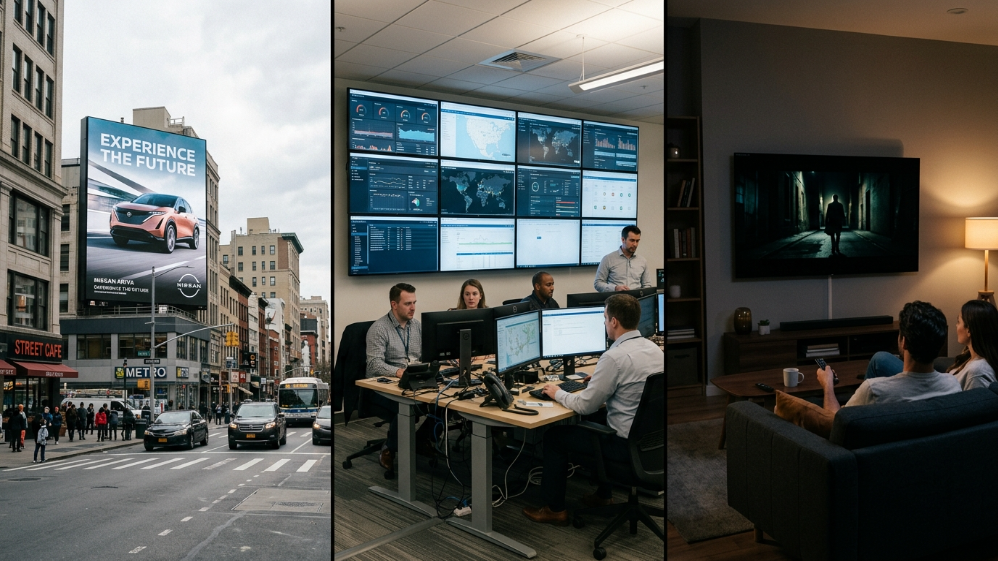
Understanding LED’s disadvantages is most useful when framed against the alternatives.
| Factor | LED Screen | LCD (Splicing Wall) | OLED |
|---|---|---|---|
| Upfront Cost | High | Medium | Very High |
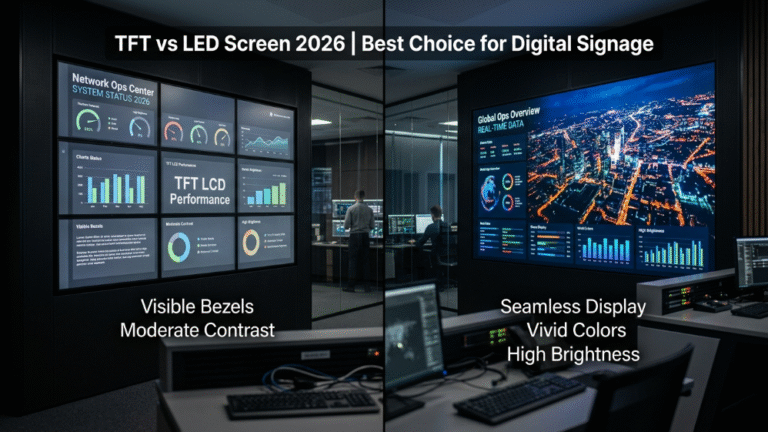
| Brightness | Excellent (4,000–10,000 nit) | Good (500–700 nit) | Low–Medium |
| Black Level / Contrast | Good (not perfect) | Poor | Excellent |
| Scalability | Unlimited (modular) | Limited by bezel | Limited by panel size |
| Outdoor Use | Yes (IP65) | No | No |
| Viewing Distance | Medium–long | Short–medium | Short |
| Lifespan | 50,000–100,000 hrs | 50,000–60,000 hrs | 30,000–50,000 hrs |
| Maintenance | Modular (front-access) | Complex | Burn-in risk |
| Best For | Outdoor, large venues, events | Control rooms, boardrooms | Broadcast monitors, cinema |
Decision guide:
- Choose LED when size, brightness, outdoor deployment, or long-term durability are the primary requirements
- Choose LCD when the budget is constrained, viewing distance is short, and color accuracy for close-range work is a priority
- Choose OLED when perfect black levels and color accuracy for a single-viewer or small-audience premium application justify the cost and burn-in risk
FAQ
What is the biggest disadvantage of LED screens?
For most buyers, the highest-impact disadvantage is upfront cost relative to LCD alternatives. For permanent large-format installations, the total cost of ownership over 10 years often favors LED — but the initial capital outlay is substantially higher.
Do LED screens burn in like OLEDs?
Traditional LED screens do not exhibit OLED-style burn-in from static content. However, they do experience gradual, uneven brightness degradation across the panel over years of operation, which produces a different but related visual artifact if not managed through periodic recalibration.
How hot does an LED screen get?
Operating temperature varies by installation environment and brightness setting. In hot outdoor areas, internal temperatures of the video wall can reach 65°C. Indoor installations in controlled environments typically operate between 35–50°C internally. Exceeding thermal design limits accelerates LED degradation and increases dead pixel incidence.
Are LED screens bad for eyes?
For short-duration or distance viewing, LED screens pose no unusual eye health risk. For prolonged close-range viewing (control rooms, workstations, broadcast desks), the higher blue light emission compared to LCD warrants attention. Low-blue-light panel modes, appropriate viewing distances, and warm color temperature settings mitigate the issue effectively.
Can LED screen disadvantages be fixed after purchase?
Most can be managed, not entirely eliminated. Dead pixels can be replaced with spare modules. Color drift can be corrected through recalibration. Heat can be managed through HVAC design. Contrast limitations are inherent to the technology and cannot be corrected through configuration — for applications where this matters most, OLED or high-contrast LCD is the better starting choice.
How often do LED screens need maintenance?
For professional installations, a full calibration every 12–24 months is standard practice for visual-critical applications. Module inspection and cleaning should occur every 6 months for outdoor installations and annually for indoor. Front-access panel designs significantly reduce the labor cost of both routine and corrective maintenance.
Is LED or LCD better for a control room?
For control rooms where operators view displays at close range for extended periods, LCD splicing walls are often the better choice: lower blue light emission, better color accuracy at close viewing distances, and more consistent brightness uniformity without periodic recalibration. LED becomes preferable when the control room wall exceeds the practical size limit for LCD splicing, typically above 6×3 meters.
Conclusion: LED Screen Disadvantages Are Manageable — With the Right Specification
Every disadvantage covered in this guide has a mitigation strategy. Dead pixels are addressed by front-serviceable designs and spare module inventory. Contrast limitations are managed by black-coating technology and content strategy. Heat is controlled through thermal management and automated brightness. Color drift is corrected through scheduled calibration.
The buyers who regret LED investments are almost never dealing with inherent technology failure — they are dealing with the consequences of a wrong specification decision: the wrong pixel pitch for their viewing distance, the wrong IP rating for their environment, or the wrong panel tier for their content type.
The practical checklist before purchasing:
- Measure your minimum viewing distance — this sets your maximum acceptable pixel pitch
- Confirm your ambient light environment — this sets your minimum brightness requirement
- Assess your content type — video-heavy, dark-scene content demands better contrast specs
- Budget for installation, maintenance, and calibration as line items, not afterthoughts
- For close-range or color-critical applications, evaluate LCD and OLED before defaulting to LED
LED screens remain the most versatile, scalable, and durable large-format display technology available in 2026. Understanding their limitations is not a reason to avoid them — it is the foundation for deploying them correctly.
References:
Energy consumption assessment of LED displays based on mapping method